Common Laravel Errors and How to Fix Them
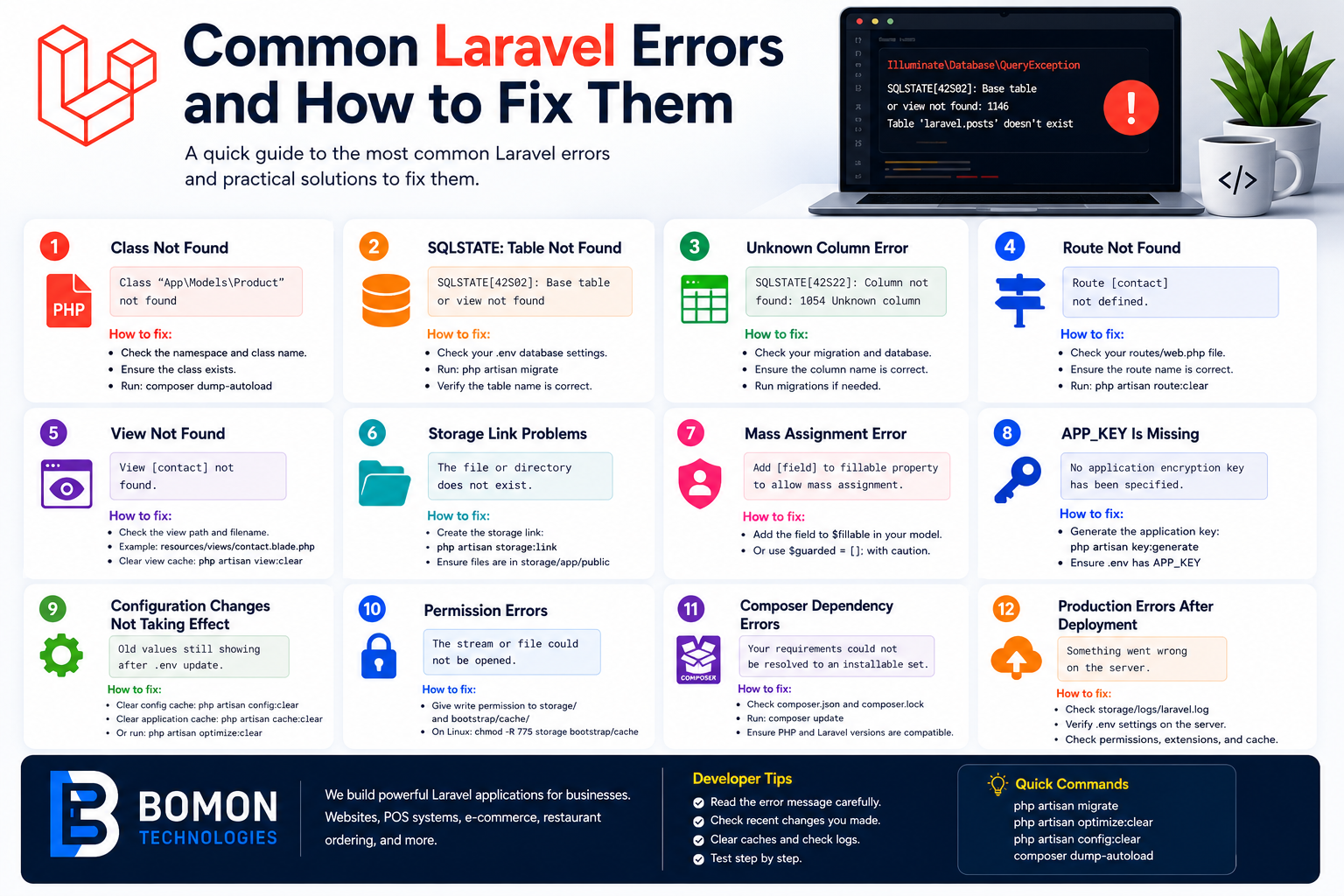
Laravel makes modern PHP application development faster and more structured. However, like any software framework, Laravel applications can produce errors when configuration, database structures, routes, dependencies, or application code are not correctly set up.
Understanding common Laravel errors can help developers troubleshoot problems faster and build more reliable applications.
1. Class Not Found
A common Laravel error looks like:
Class "App\Models\Product" not foundThis usually means Laravel cannot locate the class being referenced.
Possible causes
Incorrect namespace
Incorrect class name
Missing model or controller
Incorrect
usestatementAutoloading problems
How to fix it
Check that the class exists and that the namespace is correct.
For example:
use App\Models\Product;If you have created a new class, you can also refresh Composer's autoloader:
composer dump-autoload2. SQLSTATE: Table Not Found
You may encounter an error such as:
SQLSTATE[42S02]: Base table or view not foundThis usually means Laravel is trying to access a database table that does not exist.
Common causes
Migration has not been executed
Incorrect table name
Wrong database connection
Migration failed
Application is connected to a different database
How to fix it
Check your .env database configuration and run:
php artisan migrateYou can also inspect the migration status:
php artisan migrate:statusIf you are working in a development environment and need to rebuild the database, you can use:
php artisan migrate:freshImportant: migrate:fresh deletes existing tables and data, so do not use it on a production database unless you fully understand the consequences.
3. Unknown Column Error
Another common database error is:
SQLSTATE[42S22]: Column not foundFor example:
Unknown column 'comments.title'This means the application is querying a column that does not exist in the database table.
How to fix it
Check your migration and database structure.
If the table contains:
name
comment
post_id
status
but your Filament resource or model expects:
titleLaravel will generate an SQL error.
Make sure your application code matches the actual database columns.
4. Route Not Found
Laravel may display:
Route [contact] not defined.This happens when your application tries to use a route name that has not been registered.
Check your routes/web.php file.
For example:
Route::get('/contact', [ContactController::class, 'index'])
    ->name('contact');
Then make sure your Blade template uses the correct route name:
route('contact')If you have recently changed routes, clear the route cache:
php artisan route:clearYou can inspect your registered routes with:
php artisan route:list5. View Not Found
You may see:
View [contact] not found.Laravel cannot find the Blade view being requested.
For example:
return view('contact');expects a file such as:
resources/views/contact.blade.phpCheck that the filename and directory are correct.
For a view inside a directory:
return view('pages.contact');Laravel expects:
resources/views/pages/contact.blade.php6. Storage Link Problems
Uploaded images may be successfully stored but fail to display in the browser.
For example, your database might contain:
posts/example.jpgbut the image URL returns a 404 error.
Laravel's public storage normally requires a symbolic link between:
storage/app/publicand:
public/storageCreate the link with:
php artisan storage:linkThen files stored on the public disk can generally be accessed through:
/storage/posts/example.jpgThe exact URL depends on how your application is configured.
7. Mass Assignment Error
Laravel may produce a mass assignment error when using:
Model::create($data);The fields being inserted must be allowed by the model.
For example:
protected $fillable = [
    'name',
    'email',
    'message',
];
If a field is missing from $fillable, Laravel may reject the assignment.
Always review your model's $fillable configuration when using create() or update() with arrays of data.
8. APP_KEY Is Missing
You may encounter:
No application encryption key has been specified.Laravel requires an application key for encryption and other security-related functionality.
In a properly configured development environment, generate one with:
php artisan key:generateThen check that your .env file contains an APP_KEY.
9. Configuration Changes Are Not Taking Effect
Sometimes you change .env but Laravel continues using the old configuration.
Cached configuration can cause this.
Try:
php artisan config:clearYou can also clear the application cache:
php artisan cache:clearFor a broader development cleanup:
php artisan optimize:clearAfter making configuration changes on a production server, remember to consider how configuration caching is being managed.
10. Permission Errors
Laravel may fail to write logs, cache files, uploaded files, or compiled views when the appropriate directories are not writable.
Common directories that need write access include:
storage/
bootstrap/cache/
On Linux hosting, check the ownership and permissions of these directories.
Avoid giving excessively broad permissions just to make an error disappear. Proper ownership and least-privilege permissions are safer.
11. Composer Dependency Errors
When installing or updating packages, Composer may report dependency conflicts.
For example:
Your requirements could not be resolved to an installable set of packages.Before changing package versions randomly, check:
composer.jsonand:
composer.lockYou can also inspect installed packages with:
composer showMake sure the package versions are compatible with your Laravel and PHP versions.
12. Production Errors After Deployment
An application may work perfectly on a local computer but fail after being uploaded to hosting.
Common causes include:
Different PHP versions
Missing PHP extensions
Incorrect
.envconfigurationIncorrect database credentials
Missing storage link
Missing Composer dependencies
Incorrect file permissions
Cached configuration
Incorrect document root
When troubleshooting production problems, check the Laravel log:
storage/logs/laravel.logThe log often provides much more useful information than the generic browser error page.
A Simple Laravel Troubleshooting Process
When you encounter a Laravel error, don't immediately start changing multiple files.
Follow a systematic process:
Step 1 — Read the Error Message
Identify:
Error type
File
Line number
SQL query, if available
Missing class, method, table, or column
Step 2 — Check the Recent Change
Ask yourself what you changed immediately before the error appeared.
For example:
Added a migration
Changed a model
Created a Filament resource
Changed a route
Added a package
Changed
.envUploaded the application to hosting
Step 3 — Check the Database
For database-related errors, inspect the actual database structure using tools such as phpMyAdmin or your database client.
Don't assume that your migration files and production database are identical.
Step 4 — Clear Relevant Caches
During development, useful commands include:
php artisan optimize:clearand:
composer dump-autoloadStep 5 — Check Laravel Logs
Look at:
storage/logs/laravel.logThe log can provide the underlying cause of the problem.
Conclusion
Laravel errors are a normal part of software development. The important skill is not avoiding every error but learning how to identify the cause and fix it systematically.
Whether the problem involves a missing database table, incorrect route, missing class, configuration issue, file upload, or deployment problem, understanding the Laravel error message is usually the first step toward a solution.
At Bomon Technologies, we use Laravel to develop custom applications, business management systems, e-commerce platforms, restaurant ordering systems, POS solutions, and other digital products.
Need a Laravel application developed or maintained? Bomon Technologies can help you build, troubleshoot, deploy, and maintain your business software.
💬 Comments
No comments yet. Be the first to comment!
← Back to Blog📚 Related Articles

Bootstrap and Templates for Developers: Build Websites Faster
Bootstrap and Templates for Developers: Build Websites FasterBuilding a website from scratch can tak...
Read More →
The Use of Technology to Wipe Off Local Techniques
Technology has become a major force in the development of modern society. It has changed the way peo...
Read More →
Implementing and Evaluating the Effectiveness of Zero Trust in Society
Technology has become an essential part of modern society. People use digital platforms for banking,...
Read More →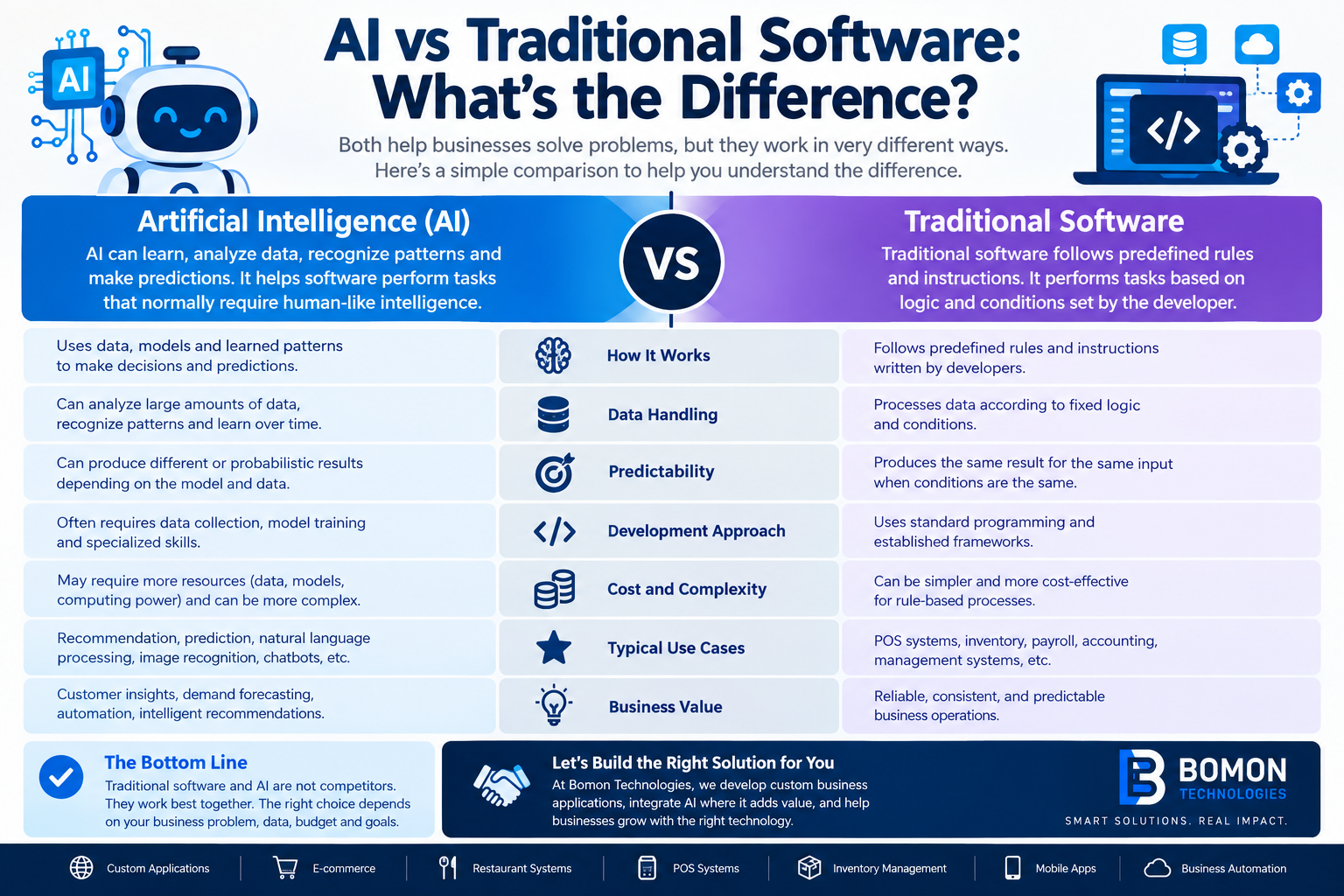
AI vs Traditional Software: What's the Difference?
Technology has changed the way businesses operate. Today, businesses can choose from traditional sof...
Read More →
Essential Skills Every Professional Should Develop
The workplace is constantly changing, and professionals are expected to do more than simply have aca...
Read More →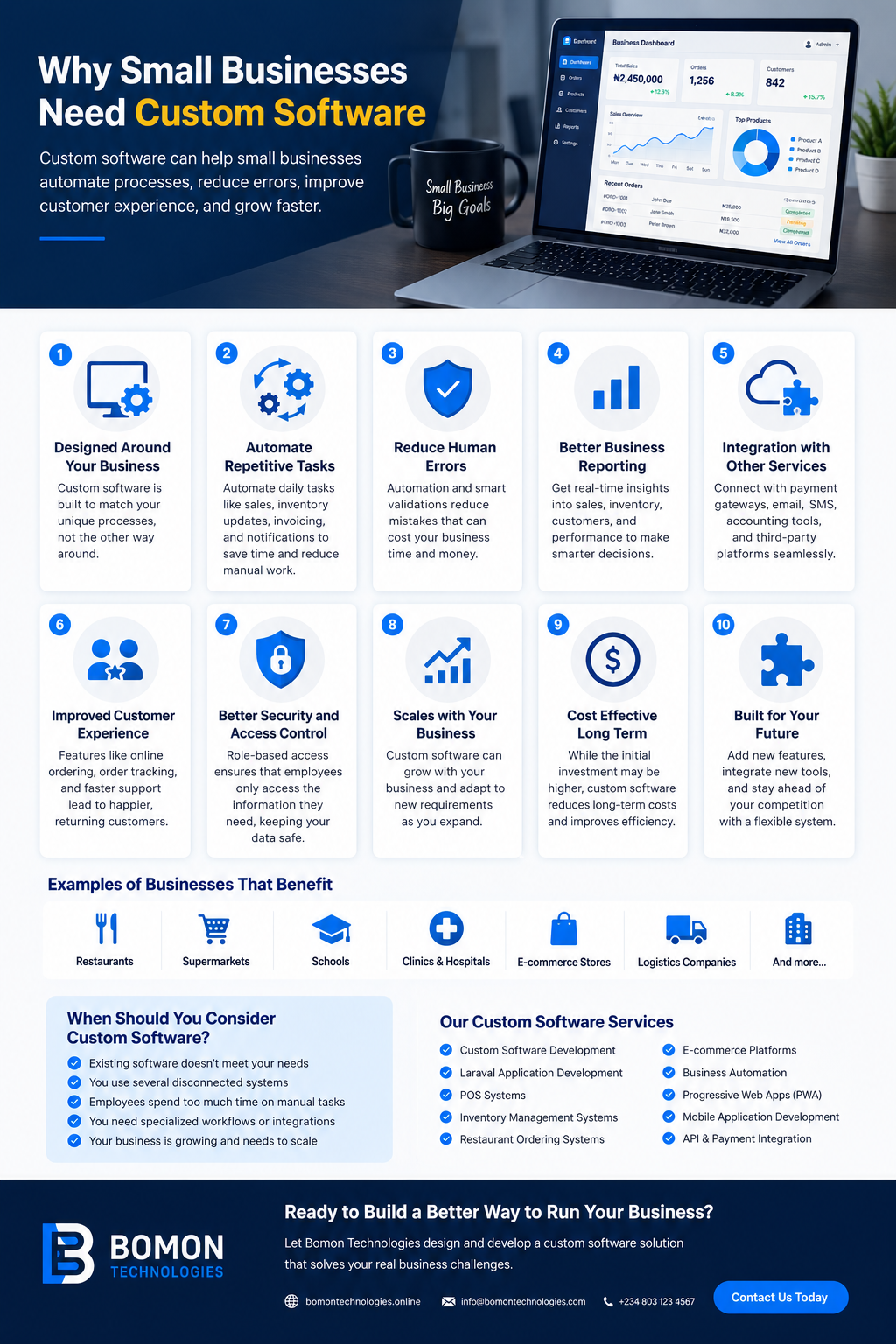
Why Small Businesses Need Custom Software
Small businesses are increasingly using technology to improve the way they operate. However, many bu...
Read More →